You’ve decided to keep some crypto on a centralized exchange. Maybe it’s trading capital, maybe you’re not ready for self-custody yet, or maybe you’re using the exchange regularly for DCA purchases.
The risk doesn’t have to be as high as it sounds. Exchanges offer security features that most users never enable — and accounts with all security features active experience dramatically fewer unauthorized access attempts than basic password-only accounts.
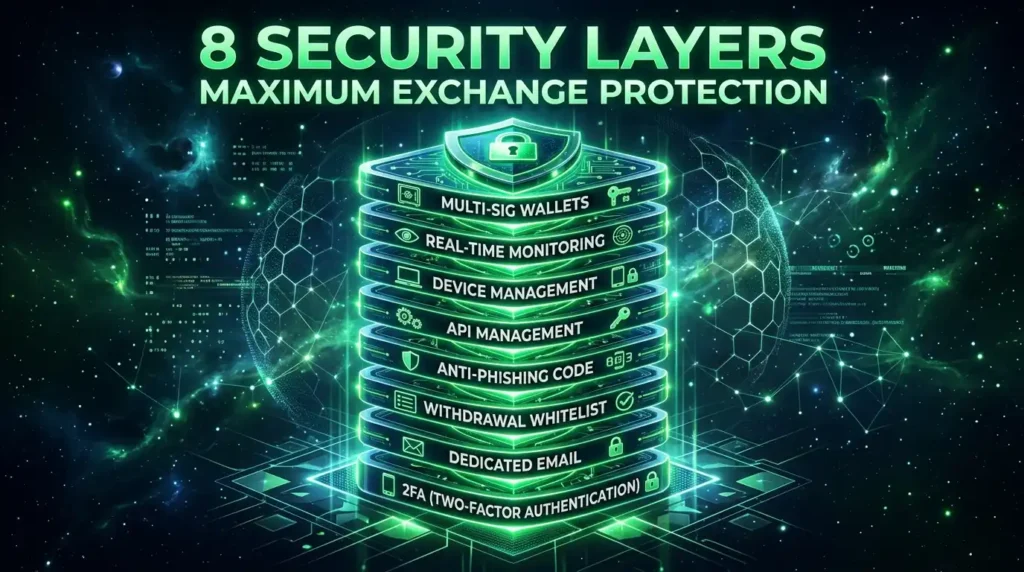
This guide covers every security layer available to you on a CEX, in order of importance.
Layer 1: Choose a Reputable, Regulated Exchange
Before any security settings matter, the exchange itself must be trustworthy. Not all exchanges carry equal risk.
What to look for:
Regulatory compliance: In the US, look for FinCEN-registered Money Services Businesses (MSBs), with state-level money transmitter licenses. Coinbase is publicly traded and SEC-registered. Kraken has a long operational history with strong regulatory relationships. Bybit, despite being hacked for $1.5B in 2025, was a well-funded professional exchange — regulation reduces but doesn’t eliminate risk.
Proof of Reserves: After FTX’s collapse, reputable exchanges publish cryptographic proof that their on-chain assets cover customer balances. Look for regular, third-party-audited attestations — not just self-reported numbers.
Cold storage ratio: Secure exchanges keep 90–95%+ of user funds in cold (offline) storage. Ask or research what percentage of funds is kept in hot wallets.
Track record: How long have they operated? Have they been hacked? If so, how did they respond — did they cover losses? How quickly?
For US users: Coinbase, Kraken, and Bybit are among the most established regulated options. Each partner with TheHashmark for affiliate programs.
Layer 2: Use a Dedicated Email Address
Your exchange account is only as secure as the email address linked to it.
If that email is compromised — through a data breach, phishing, or weak password — an attacker can use password reset to take over your exchange account. This is one of the most common attack vectors.
Create a dedicated email address used exclusively for crypto exchanges. No other services, no subscriptions, no personal messages. This address:
- Is harder for attackers to discover (it appears in fewer data breaches)
- Has no other accounts to compromise via password reset chains
- Makes phishing emails obvious — any unexpected message to this address is suspicious
Secure this email with maximum security:
- Use a strong, unique password (20+ characters, generated by a password manager)
- Enable 2FA on the email account itself (authenticator app, not SMS)
- Never use this email for anything else
Layer 3: Two-Factor Authentication (2FA) — Done Right
2FA adds a second verification step beyond your password. Even if someone steals your password, they can’t access your account without the second factor.
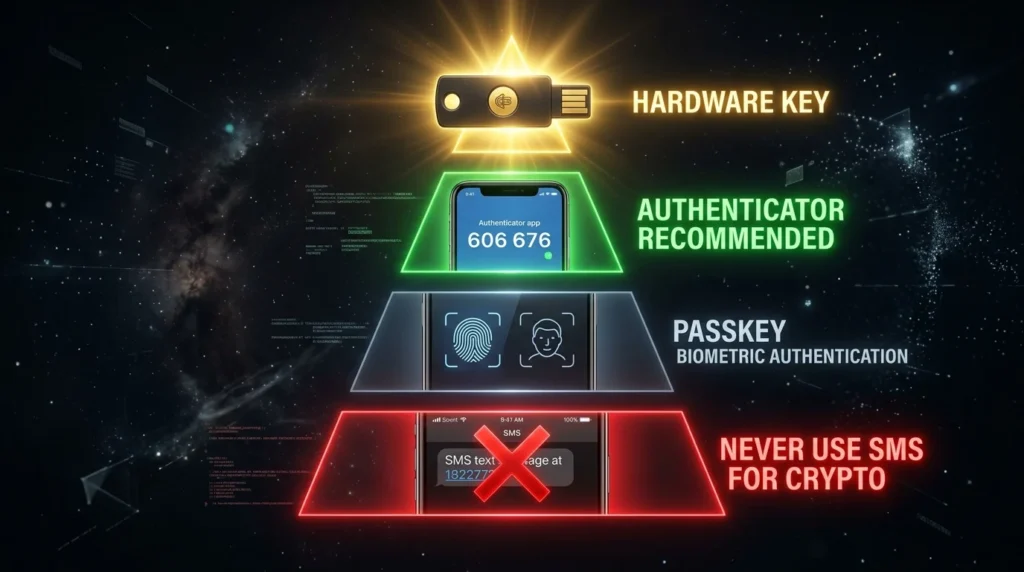
The hierarchy of 2FA methods (best to worst):
1. Hardware security keys (YubiKey) — Best
Physical USB/NFC devices. Signing in requires physically pressing the key. Immune to phishing — even if you enter credentials on a fake site, the hardware key won’t authenticate to a fraudulent domain. Not supported by all exchanges but increasingly available.
2. Authenticator apps (Google Authenticator, Authy, Microsoft Authenticator) — Good
Time-based one-time passwords (TOTP) generated on your phone. Not phishable remotely in most scenarios. Strong protection against password breaches.
3. Passkeys / FIDO2 — Good
Biometric-linked cryptographic authentication. Growing support across major exchanges in 2026. Resistant to phishing by design.
4. SMS / Text message 2FA — Avoid
By 2026, SMS 2FA is considered a liability. SIM-swapping attacks — where criminals convince your carrier to transfer your phone number to their SIM — allow interception of SMS codes. Disable SMS 2FA wherever possible in favor of authenticator apps.
How to set up authenticator app 2FA:
- Download Google Authenticator or Authy on your phone
- In your exchange account → Security → Two-Factor Authentication → Enable
- Scan the QR code with the authenticator app
- Write down the backup code the exchange provides — store it physically offline
- Verify the setup by entering a generated code
Enable 2FA for all critical actions:
- Account login
- Withdrawal requests
- API key creation/deletion
- Email/password changes
Layer 4: Withdrawal Address Whitelisting
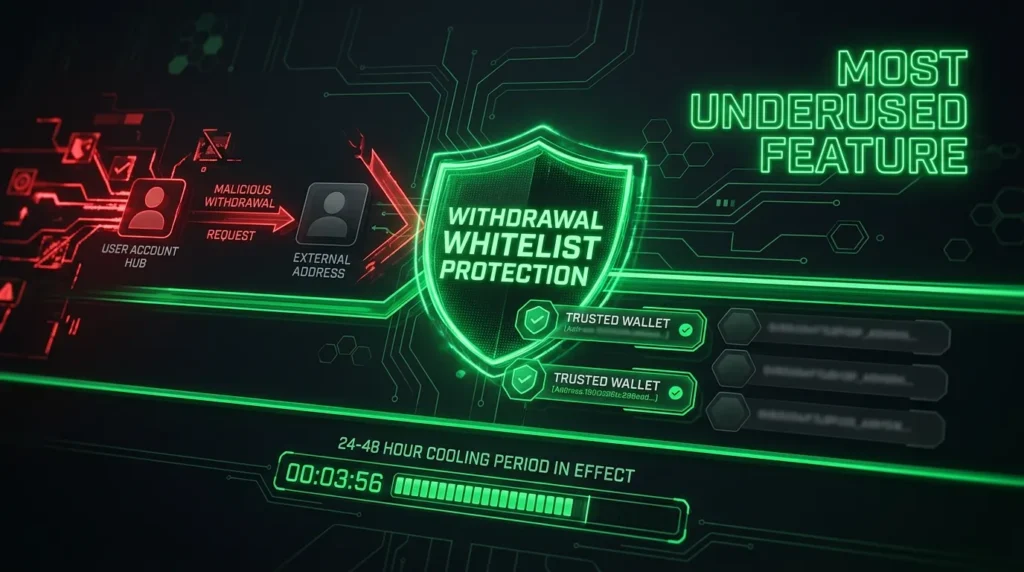
This is the most underused and most impactful security feature on most exchanges.
How it works: You pre-approve specific wallet addresses to receive withdrawals. The exchange will only send funds to addresses on your whitelist. If an attacker fully compromises your account — password, 2FA, email — they still cannot withdraw to any address not already on your approved list.
The additional protection: Most exchanges enforce a 24–48 hour cooling-off period before a new whitelist address becomes active. If someone adds their address to your whitelist, you have a window to detect the unauthorized change and lock your account before funds can be sent.
How to enable:
- Security or Account Settings → Withdrawal Settings → Address Whitelist / Address Book Only mode
- Add your hardware wallet address(es)
- Confirm via email and 2FA
- Wait the required cooling period
If your exchange supports this feature — Coinbase, Kraken, Binance all do — enable it immediately. It transforms a compromised account from “drained in seconds” to “attacker locked out of withdrawals.”
Layer 5: Anti-Phishing Code
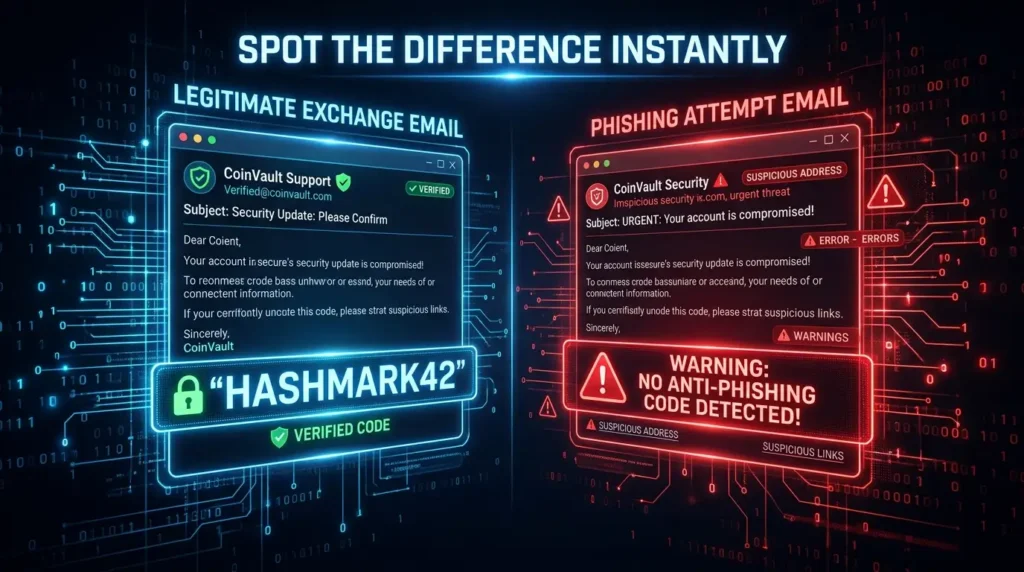
Many major exchanges offer an anti-phishing code — a unique word or phrase you set that appears in every legitimate email the exchange sends you.
How it works: You choose a code (e.g., “HASHMARK42”). Every email from the exchange includes this code. If you receive an email claiming to be from the exchange without your code — it’s a phishing attempt, regardless of how legitimate it looks.
Why this matters: Phishing emails are getting increasingly convincing. An anti-phishing code gives you a reliable way to distinguish genuine exchange communications from fakes, even when the design is pixel-perfect.
How to set it up:
- Account Settings → Security → Anti-Phishing Code
- Set a memorable but unique phrase
- Any future legitimate email will include this phrase
Layer 6: API Key Management
If you use trading bots, portfolio trackers, or any third-party service with your exchange account, you’ve likely created API keys. These are often forgotten — and can be a significant security vulnerability.
Audit your API keys regularly:
- Exchange Account → API Management
- Delete any keys you no longer actively use
- Review permissions on remaining keys — most services only need “read” access, not withdrawal permissions
Never grant API withdrawal permissions unless you absolutely need it and fully trust the receiving service. A compromised API key with withdrawal permission is as dangerous as a compromised account.
Restrict API keys by IP address if your exchange supports it. This limits the key to specific servers/IPs, preventing use from attacker systems.
Layer 7: Behavioral Security Practices
Even perfect settings can be bypassed by poor habits.
Always bookmark your exchange URLs. Never navigate to an exchange by searching Google or following links in emails or DMs. Attackers pay for Google ad placement to appear above the real exchange in search results. Your bookmark goes directly to the right site.
Verify email sender addresses character by character. Phishing emails use near-identical domains — coinbase-security.com, kraken.mail-support.com, etc. Check the actual sender domain, not just the display name.
Test withdrawals before large transfers. When withdrawing to a new address for the first time, send a small test amount first. Verify it arrives. Then send the full amount. This confirms you have the correct address and the correct network selected.
Monitor account activity. Most exchanges have login history and activity logs. Check these periodically for unrecognized locations or devices.
Never access exchange accounts on public Wi-Fi without a VPN. Public networks can be monitored or man-in-the-middled.
Layer 8: Know When to Move to Self-Custody
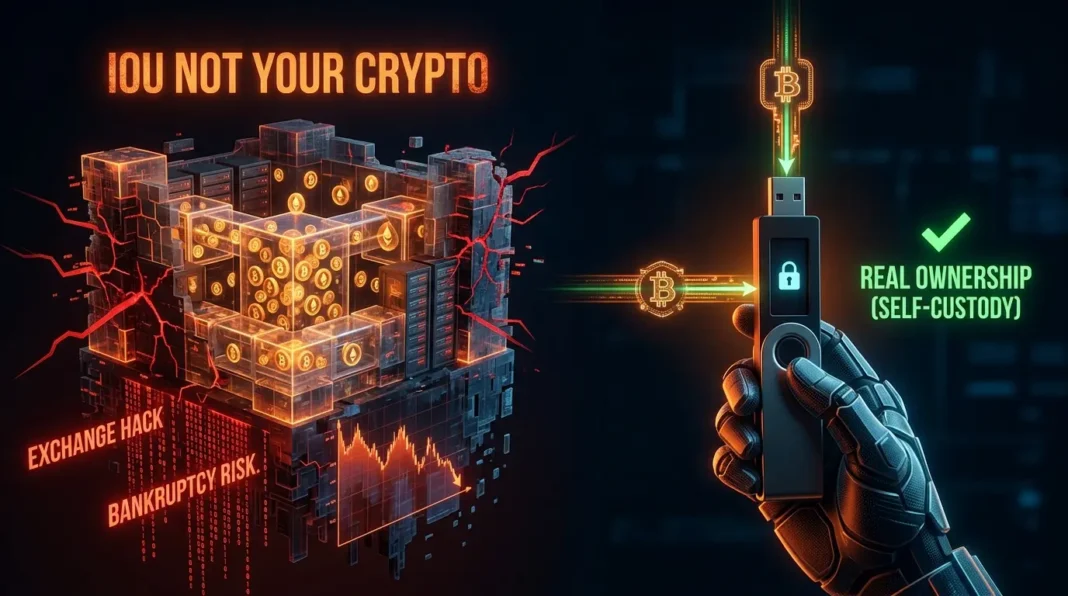
Even with all security features enabled, exchange storage carries risks no security setting can eliminate: exchange insolvency, regulatory shutdown, or sophisticated state-level attacks.
The 80/20 rule: Keep no more than 20% of your total crypto holdings on exchanges at any time. The remaining 80% belongs in cold storage — a hardware wallet where you hold the keys.
Signs it’s time to move funds to self-custody:
- Your exchange balance exceeds what you’d leave unsupervised in cash
- You’re accumulating long-term rather than actively trading
- You notice unusual platform behaviors: widening spreads, delayed withdrawals, vague communications about “processing times”
Your CEX Security Checklist
One-time setup (do this today):
- [ ] Create a dedicated email address for crypto exchanges
- [ ] Enable authenticator app 2FA (not SMS) on your exchange
- [ ] Enable 2FA on your dedicated email account
- [ ] Enable withdrawal address whitelisting
- [ ] Set up an anti-phishing code
- [ ] Audit and delete unused API keys
- [ ] Bookmark your exchange’s official URL
Ongoing practices:
- [ ] Never follow links in emails to your exchange — always use bookmarks
- [ ] Test withdrawals before large transfers
- [ ] Review login history periodically
- [ ] Check withdrawal whitelist for unauthorized additions
- [ ] Delete API keys you no longer need
Key Terminology
2FA (Two-Factor Authentication): A second verification step beyond password — authenticator app, hardware key, or (weakly) SMS.
TOTP (Time-based One-Time Password): The rotating 6-digit codes generated by authenticator apps, changing every 30 seconds.
Withdrawal Whitelist: A pre-approved list of wallet addresses the exchange will allow withdrawals to — bypassing this requires adding new addresses with a time delay.
Anti-Phishing Code: A unique word/phrase you set that appears in all legitimate exchange emails, helping identify fakes.
SIM Swap: Attack where criminals convince your phone carrier to transfer your number to their SIM, allowing them to receive your SMS 2FA codes.
API Key: Cryptographic credential allowing third-party services to interact with your exchange account — can include trading or withdrawal permissions.
Cooling Period: The mandatory waiting period (usually 24–48 hours) after adding a new withdrawal whitelist address before it becomes active.
The Bottom Line
An exchange account secured with a dedicated email, authenticator app 2FA, withdrawal whitelisting, and an anti-phishing code is dramatically harder to compromise than a basic password-only account. These aren’t complicated to set up — they take 30 minutes total and require no technical expertise.
None of these measures eliminate the risk of the exchange itself failing. For that, only self-custody — a hardware wallet where you hold the keys — provides full protection.
But if you’re going to keep crypto on an exchange, keep it on the most secure version of that exchange account possible. 🔐
Disclaimer: This article is for informational purposes only and does not constitute financial advice. Cryptocurrency investments carry significant risk, including the potential loss of all invested capital. Always conduct your own research before making any investment decisions.