In April 2026, a musician lost $420,000 in crypto to a fake Ledger app. He’d been in crypto since 2017. He owned a genuine hardware wallet. He understood the space. But for one moment — one convincing fake interface — he entered his 24 seed phrase words into the wrong app.
Everything was gone in seconds. No fraud department to call. No chargeback. No insurance. No recourse.
This is the fundamental reality of crypto security: you are the bank, the security team, and the only person who can protect your funds. No company stands between you and a mistake.
The good news: the threats are well-understood, the defenses are proven, and protecting your crypto doesn’t require being a technical expert. It requires understanding a handful of principles and applying them consistently.
The Security Mindset: How Attackers Think
Before diving into defenses, understand why crypto is such an attractive target.
Why hackers love crypto:
- Transactions are irreversible — there’s no “undo”
- No fraud protection, no chargebacks, no regulatory safety nets
- Many holders store significant wealth with minimal security
- Blockchain addresses are pseudonymous, making stolen funds harder to trace
- Social engineering works better than technical hacks — humans are the weakest link
In 2025–2026, personal wallet compromises account for over 60% of stolen crypto value. Major DeFi protocols have hardened their code through audits and bug bounties. Individual holders? Many still store substantial wealth with inadequate security.
Attackers have noticed. You are now the preferred target.
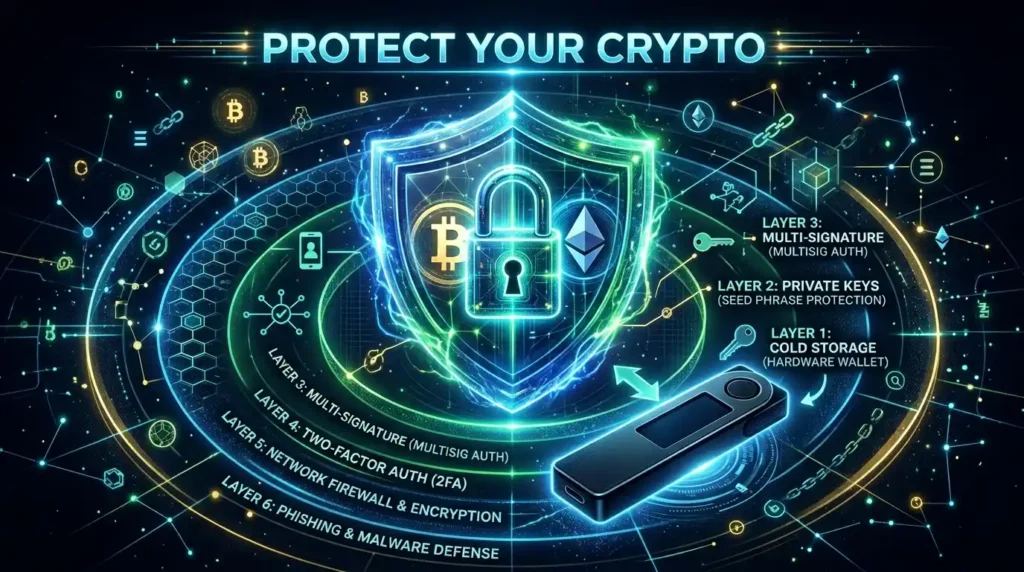
Layer 1: Understand the Hot vs Cold Wallet Spectrum
The single most important security concept in crypto: not all wallets are equal.
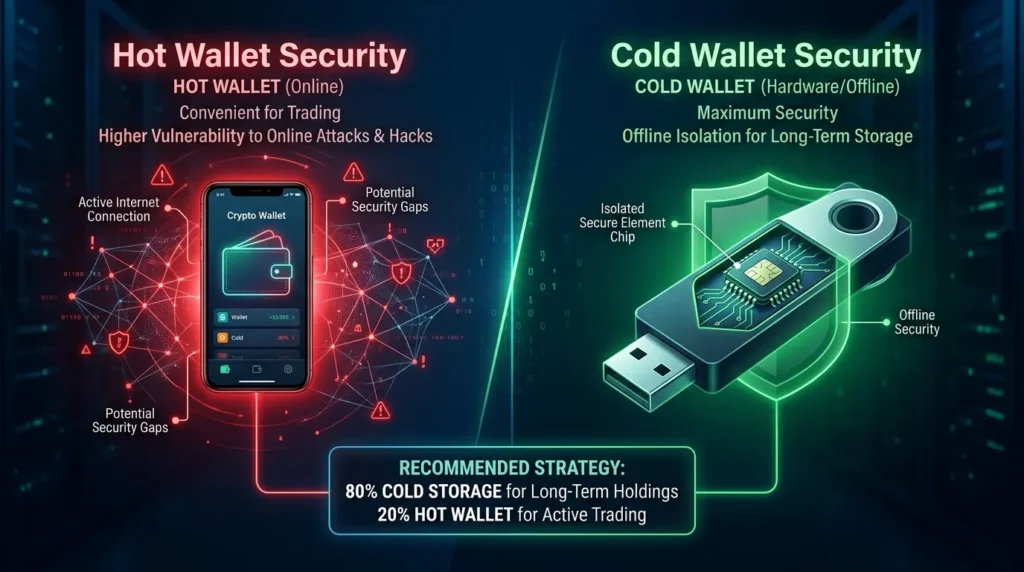
Hot Wallets (connected to the internet):
Software apps — MetaMask, Phantom, Trust Wallet, Coinbase Wallet. Always online, convenient for daily use, directly connected to DeFi protocols and exchanges. Your private keys are stored in encrypted files on internet-connected devices.
Risk: malware, phishing, browser exploits, and compromised devices can all potentially access your keys.
Cold Wallets (offline storage):
Hardware devices — Ledger, Trezor. Your private keys are generated and stored on a dedicated chip inside a physical device that never directly connects to the internet. Even when plugged into a computer to sign a transaction, the private key never leaves the device.
Risk: physical theft, supply chain attacks, user error.
The practical rule:
- Hot wallets: amounts you’re actively using — think of it like cash in your pocket. $500 or less for most people.
- Cold wallets: everything else. Long-term holdings, significant amounts, anything you’re not trading daily.
Security experts consistently recommend keeping 80–90% of your crypto holdings in cold storage.
Layer 2: Your Seed Phrase Is Everything
You’ve read this in our seed phrase guide — but in a security context, it deserves repetition.
Your 12 or 24 seed phrase words are the master key to your entire wallet. Anyone who has them can drain every account, every blockchain, every token — instantly and permanently.
The non-negotiable seed phrase rules:
✅ ALWAYS:
- Write it by hand on paper immediately when generated
- Make at least two copies, stored in separate physical locations
- Consider engraving on stainless steel for fire/flood protection
- Tell a trusted person where it’s stored (estate planning)
❌ NEVER:
- Photograph it or screenshot it
- Store it in cloud services (Google Drive, iCloud, Dropbox)
- Type it into any website, app, or chat
- Store it in a password manager
- Email it to yourself
- Share it with anyone — even “official support”
The April 2026 lesson: Hardware wallets protect your keys when they’re on the device. The moment you type those 24 words into any software — legitimate-looking or not — the device’s protection is bypassed completely. Those words give total access regardless of where the keys were generated.
Layer 3: Hardware Wallets — The Foundation of Serious Security
If you hold more than a few hundred dollars in crypto for longer than a few weeks, a hardware wallet is the most important security investment you can make.
Hardware wallets cost $79–$149. They’ve prevented losses that dwarf that cost for millions of holders.
How hardware wallets protect you:
- Private keys are generated and stored on an isolated secure element chip — never on your computer
- All transactions require physical button confirmation on the device itself
- Even if your computer is completely infected with malware and keyloggers, the keys never leave the hardware wallet
- A fake transaction approval on a malicious website? You’d see the real details on the hardware wallet screen before confirming
The two dominant options:
- Ledger (Nano X, Nano S Plus, Flex) — most widely used, large app ecosystem, Bluetooth connectivity on premium models
- Trezor (Model T, Safe 3) — fully open-source firmware, strong community trust, pin-protected
(See our dedicated Ledger and Trezor reviews for detailed comparisons.)
Critical purchase rule: Only buy hardware wallets directly from the manufacturer’s official website or authorised resellers. Never buy from Amazon third-party sellers, eBay, or social media listings. Counterfeit and pre-compromised devices are a documented threat.
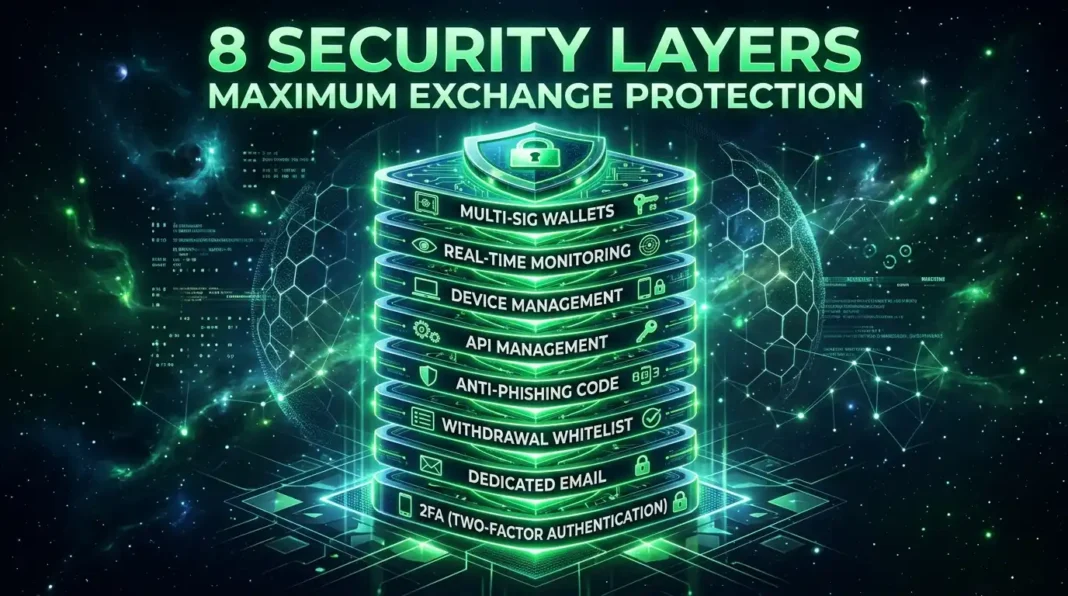
Layer 4: Two-Factor Authentication (2FA)
For any crypto account that holds or manages your assets — exchanges, email accounts linked to crypto services, account recovery options — 2FA adds a second layer that makes stolen passwords useless.
2FA methods ranked by security:
Best: Hardware security keys (YubiKey)
Physical USB/NFC devices. Even if someone has your password and your phone, they can’t log in without the physical key. Near-impossible to phish remotely.
Good: Authenticator apps (Google Authenticator, Authy)
Time-based one-time passwords generated on your phone. Much stronger than SMS. Even if your password is stolen in a data breach, attackers can’t access accounts without your phone.
Avoid: SMS-based 2FA
Text message codes can be intercepted through SIM-swapping attacks — where criminals convince your phone carrier to transfer your number to their SIM. In 2026, SIM swaps remain a documented threat against crypto holders. Disable SMS 2FA wherever possible for crypto-related accounts.
What to protect with 2FA:
- Every exchange account (Coinbase, Kraken, Bybit, Binance)
- Your email address (attackers use email to reset passwords)
- Any password manager containing crypto information
Layer 5: Phishing — The #1 Attack Vector
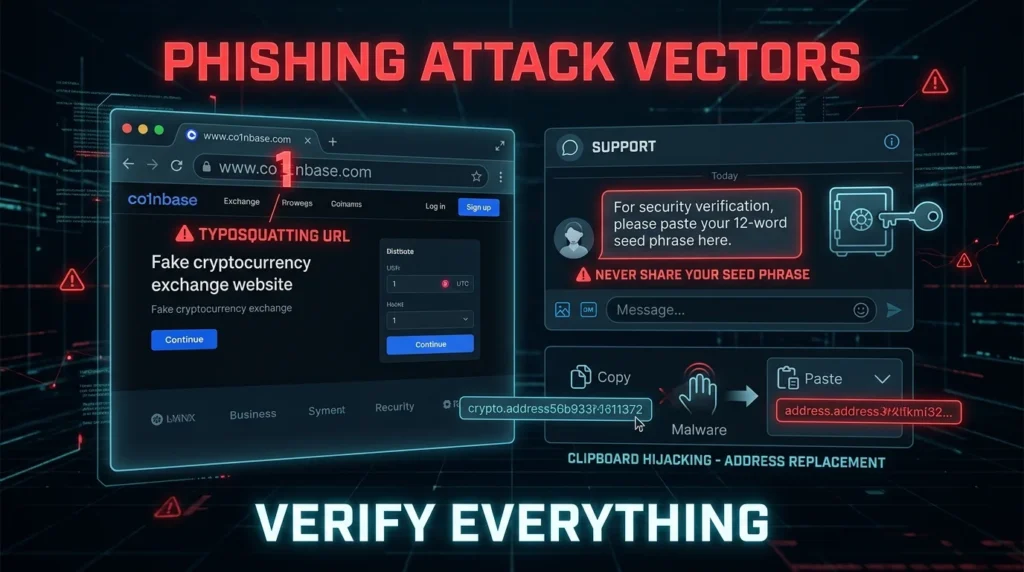
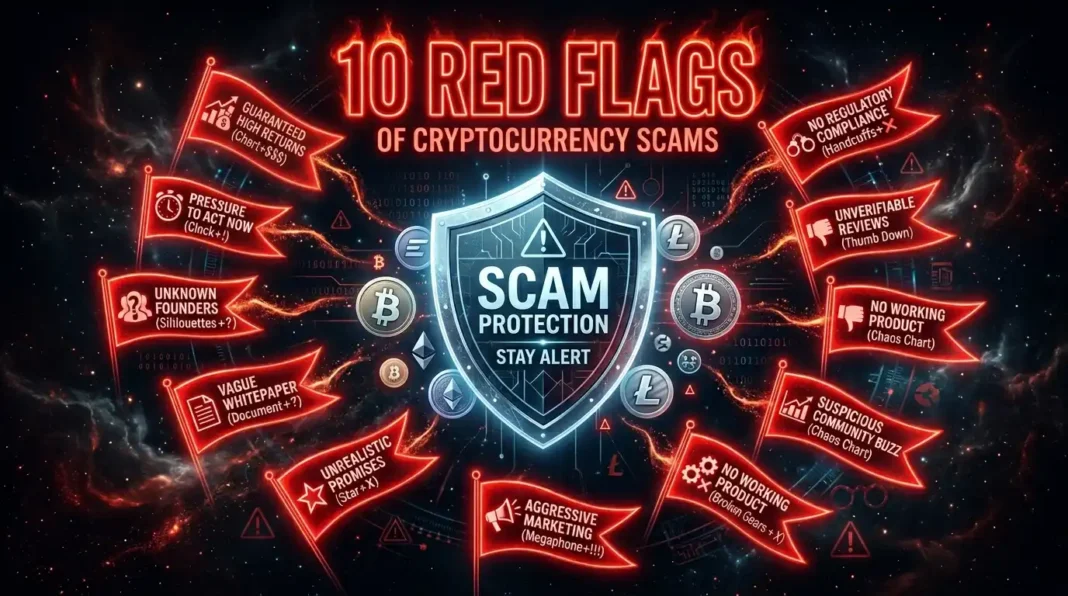
In 2026, the most common way people lose crypto isn’t technical hacks — it’s social engineering. Someone tricks you into doing something that gives them access.
How phishing attacks work in crypto:
Fake websites: Attackers register near-identical domain names — one character off, a different TLD (.io instead of .com), or a hidden lookalike character. The site is visually identical to the real thing. You connect your wallet, approve a transaction, and it drains everything.
Fake support agents: You post a question about a wallet issue on Discord, Reddit, or Twitter. Within minutes, “official support” slides into your DMs. They ask for your seed phrase to “verify your account” or “restore access.” There is no legitimate crypto service that will ever ask for your seed phrase.
Malicious smart contract approvals: A website asks you to “approve” a transaction that appears minor. You’re actually signing an unlimited spending approval — giving the contract permission to drain all your tokens whenever it chooses.
Clipboard hijacking: Malware replaces crypto addresses you copy with attacker-controlled addresses. You copy your wallet address, paste it to receive funds, and the pasted address is different. Always verify the first and last 5–6 characters of any address before sending.
Protection habits:
- Bookmark official URLs for every service you use — never follow links from emails or DMs
- Before any wallet interaction, triple-check the URL character by character
- Never click links sent to you about crypto in unsolicited messages
- Before approving any smart contract transaction, read exactly what you’re approving — hardware wallets display the actual transaction details
Layer 6: Exchange Security — Protecting Your CEX Accounts
Not all crypto lives in self-custody wallets. Many investors use exchanges for trading and some storage. Here’s how to maximally secure exchange accounts:
Use strong, unique passwords — a password manager (Bitwarden, 1Password) generating 20+ character random passwords for each service
Enable 2FA with an authenticator app — never SMS
Whitelist withdrawal addresses — most major exchanges allow you to whitelist specific wallet addresses. Only those addresses can receive withdrawals. Even if someone fully compromises your account, they can’t send funds elsewhere.
Enable email confirmation for withdrawals — adds one more step an attacker needs to control
Use a dedicated email address for crypto services — one that you don’t use for anything else, reducing the chance of it appearing in data breaches
Be aware of exchange risk — even the most secure exchange account is subject to exchange insolvency, regulatory seizure, or withdrawal freezes. For significant amounts, self-custody hardware wallets are safer.
Layer 7: Operational Security (OpSec)
Beyond technical security, how you talk about and manage your crypto affects your safety.
Don’t broadcast your holdings. The 2023 Ledger database breach exposed customer emails and physical addresses of over a million hardware wallet buyers. Social media posts about crypto gains create targeting risk. Physical attacks — where people are coerced into transferring funds — are documented in major cities worldwide.
Wallet isolation: Use separate wallets for different risk levels:
- A “hot” exploration wallet with small amounts for trying new DeFi protocols and dApps
- A “warm” active trading wallet connected to established exchanges
- A “cold” storage wallet on your hardware device that you rarely connect to anything
If your exploration wallet gets drained by a malicious smart contract, your main holdings are unaffected.
Keep software updated: Wallet firmware updates, browser extensions, and operating system patches often contain security fixes for newly discovered vulnerabilities. Run updates promptly.
Revoke unused approvals: Every time you interact with a DeFi protocol, you may grant it spending approval over your tokens. Use Revoke.cash (Ethereum) or equivalent tools to regularly review and revoke approvals you no longer need.
Your Crypto Security Checklist
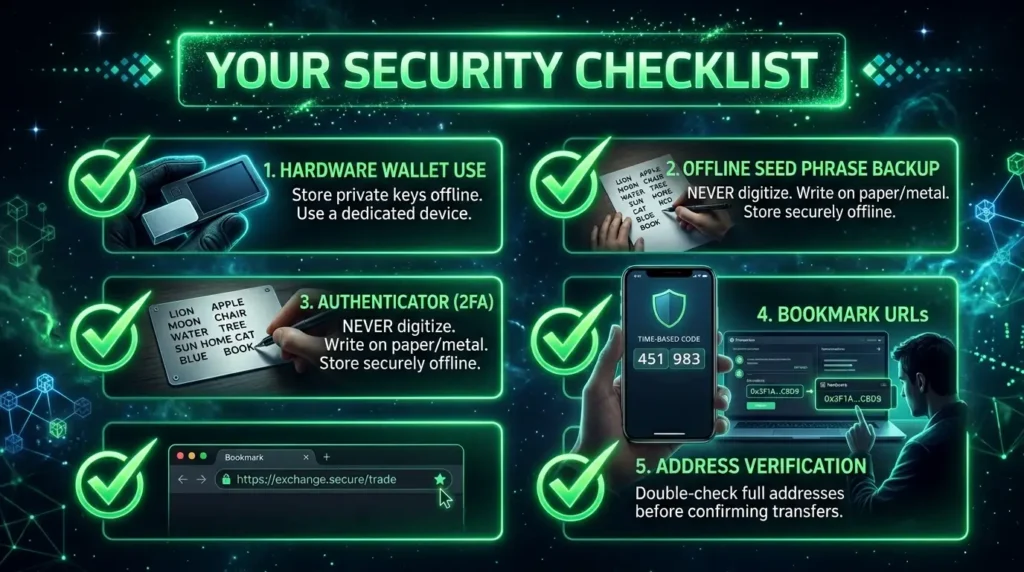
Immediate priority (do this now):
- [ ] Move significant holdings from exchange to hardware wallet
- [ ] Back up seed phrase offline — paper plus metal if holdings are substantial
- [ ] Enable authenticator app 2FA on all exchange accounts
- [ ] Remove SMS 2FA from crypto-related accounts
Ongoing habits:
- [ ] Bookmark all official crypto URLs — never follow links
- [ ] Verify wallet addresses before every transaction
- [ ] Keep hardware wallet firmware updated
- [ ] Regularly revoke unused DeFi approvals (Revoke.cash)
- [ ] Never share or type your seed phrase for any reason
For larger holdings:
- [ ] Second hardware wallet as backup
- [ ] Metal seed phrase backup (Cryptosteel, Billfodl)
- [ ] Geographic distribution of backups
- [ ] Estate planning — ensure a trusted person knows how to access your assets
Key Security Terminology
Hot Wallet: A crypto wallet connected to the internet — convenient but less secure. MetaMask, Phantom, Trust Wallet.
Cold Wallet: A wallet that stores keys offline — hardware wallets like Ledger and Trezor are the standard.
Hardware Wallet: A dedicated physical device that stores private keys on an isolated chip, requiring physical confirmation for transactions.
2FA (Two-Factor Authentication): A second verification step beyond password — authenticator app, hardware key, or (weakly) SMS.
SIM Swap: An attack where criminals convince your phone carrier to transfer your number to their SIM, intercepting SMS codes.
Phishing: Social engineering attack that tricks you into providing sensitive information or approving malicious transactions.
Token Approval: Permission granted to a smart contract to spend tokens from your wallet — can be revoked via Revoke.cash.
OpSec (Operational Security): The practice of managing information and behaviors to reduce your attack surface.
The Bottom Line
Crypto gives you unprecedented financial sovereignty. No bank can freeze your assets. No government can easily seize them. No company can reverse a transaction you made.
That sovereignty cuts both ways. There’s also no bank fraud department. No FDIC insurance. No “forgot my password” reset. No reversals.
Security in crypto isn’t a feature you enable — it’s a practice you maintain. Hardware wallet for long-term storage. Seed phrase stored offline and physically secure. Authenticator app 2FA on exchanges. Careful URL verification before any wallet interaction.
These aren’t complicated. They don’t require technical expertise. They require consistency and discipline.
The musician who lost $420,000 had the hardware. He just had one moment of inattention with the seed phrase. One moment.
Don’t have that moment. 🔐
Disclaimer: This article is for informational purposes only. Cryptocurrency security involves personal responsibility for the safekeeping of private keys and seed phrases. Always verify information from multiple authoritative sources before making security decisions.