There is no single “best” crypto wallet. There is only the best wallet for your specific situation.
Someone who DCA’s into Bitcoin every month and holds long-term needs something completely different from an active DeFi trader who signs multiple smart contract transactions daily. Both need something different from a Solana NFT collector using Magic Eden.
This guide cuts through the noise and gives you the honest assessment of the most important wallets in 2026 — hot and cold — with clear guidance on who each one is for.
Hot Wallet vs Cold Wallet: The Foundation
Before comparing specific wallets, the most important distinction:
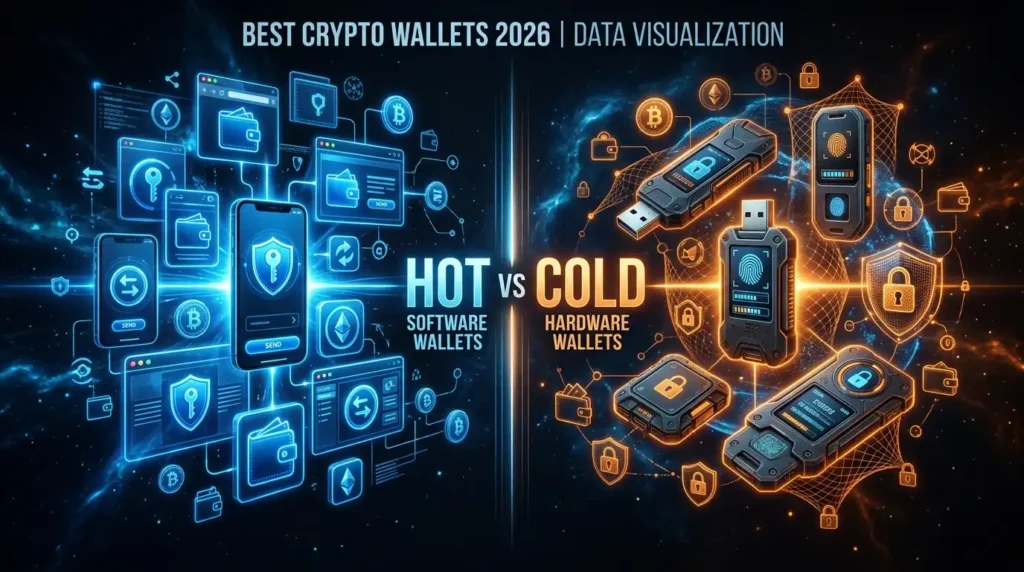
Hot wallets (MetaMask, Phantom, Trust Wallet, Coinbase Wallet) are software applications — browser extensions, mobile apps, or desktop programs. They’re always connected to the internet. Fast, convenient, and free. Your private keys are stored encrypted on your internet-connected device.
Cold wallets (Ledger, Trezor) are physical hardware devices. Your private keys are generated and stored on an isolated chip that never directly connects to the internet. More secure, less convenient, costs money.
The 2026 threat reality: In 2025, 62% of crypto theft from individuals targeted hot wallets. Software wallets on internet-connected devices are the primary attack surface. For amounts you wouldn’t leave in a public place in cash — use cold storage.
The practical framework:
- Under $500 or money you’re actively trading: hot wallet is fine
- $500–$2,000+: hardware wallet becomes obvious insurance
- Long-term holdings or anything you can’t afford to lose: hardware wallet, full stop
Most experienced crypto users use both — a hot wallet for daily activity and DeFi, a cold wallet for their main holdings.
Best Hot Wallets 2026
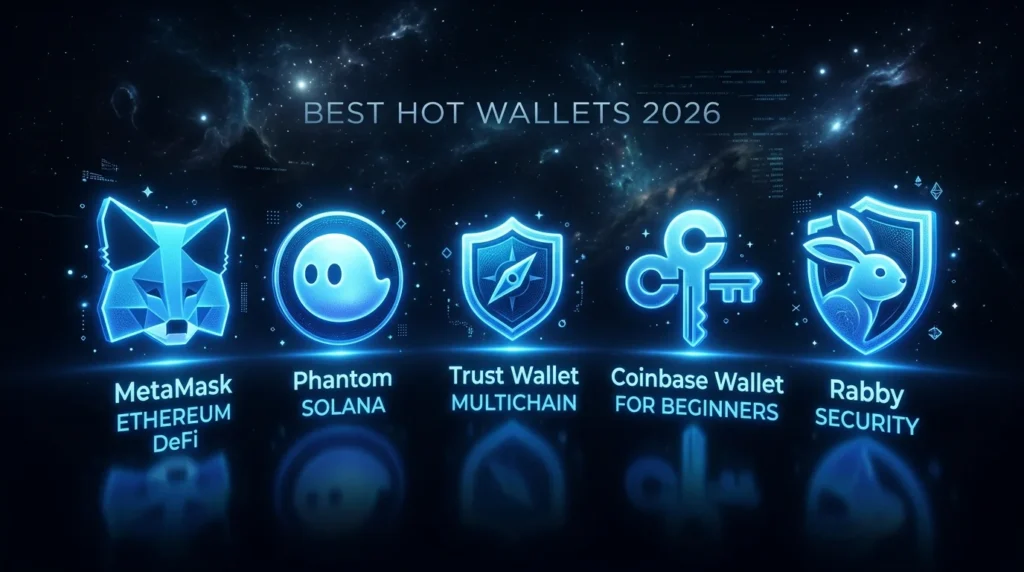
MetaMask ⭐ Best for Ethereum/DeFi
Type: Browser extension + mobile app
Best for: DeFi, NFTs, Ethereum and EVM chains
Cost: Free
Chains: Ethereum, Polygon, Arbitrum, Optimism, Base, BNB Chain, and any EVM-compatible chain
MetaMask is the default gateway to Ethereum DeFi. Nearly every protocol — Uniswap, Aave, Compound, OpenSea, and thousands more — integrates with MetaMask as the primary wallet option. If you want to participate in DeFi, using MetaMask requires no extra steps or workarounds.
2026 upgrade — Transaction Shield: MetaMask has added an AI-powered transaction simulation layer that simulates what a transaction will actually do before you sign it. If a smart contract would drain your wallet, the simulation flags it before you approve.
The limitation: MetaMask is EVM-first. For Solana, Phantom is significantly better. For non-EVM chains like Bitcoin natively, other wallets serve better.
Security notes: MetaMask is the most-phished wallet in crypto by volume — its dominance makes it the primary target. Always verify URLs character by character before connecting. Store your seed phrase offline.
Hardware wallet integration: Connect your Ledger or Trezor to MetaMask — you get the DeFi interface of MetaMask with hardware wallet-level key security.
Verdict: ⭐⭐⭐⭐⭐ The standard for Ethereum DeFi. Essential for any active on-chain user.
Phantom ⭐ Best for Solana
Type: Browser extension + mobile app
Best for: Solana ecosystem, NFTs, cross-chain users
Cost: Free
Chains: Solana (primary), Ethereum, Polygon, Bitcoin
Phantom started as the Solana wallet and remains its dominant interface — but it’s expanded significantly. In 2026, Phantom supports Bitcoin, Ethereum, and Polygon alongside Solana, making it a viable all-in-one wallet for users across multiple chains.
What makes Phantom stand out:
- Best-in-class Solana UX — token swaps, NFT management, staking all built-in
- Native integration with Magic Eden and other Solana NFT marketplaces
- AI-powered scam detection that flags suspicious transactions before signing
- Solana staking directly in the wallet
- Swap fee: 0.85%
The limitation: Phantom’s strength is Solana. For deep Ethereum DeFi work across many protocols, MetaMask still has broader integration.
Verdict: ⭐⭐⭐⭐⭐ Essential for anyone in the Solana ecosystem. Strong multi-chain option for cross-chain users.
Trust Wallet ⭐ Best for Multi-Chain Mobile
Type: Mobile app + browser extension
Best for: Beginners, mobile-first users, broad altcoin support
Cost: Free
Chains: 100+ blockchains including Bitcoin, Ethereum, BNB Chain, Solana, and virtually everything else
Trust Wallet is Binance’s official wallet — and it shows in the breadth of support. 100+ blockchains, millions of tokens, staking for dozens of assets, NFT support, and a built-in dApp browser. It covers almost everything from a single interface.
Why beginners love it: Trust Wallet has the most intuitive setup of any major self-custody wallet. Zero platform fees — you pay only network fees. Buy crypto directly in the app. The interface makes crypto feel approachable.
Gas sponsorship: Trust Wallet offers up to four daily gas fee sponsorships on certain swap flows — meaning some transactions cost you nothing in gas fees.
The limitation: Breadth over depth. For power DeFi users, MetaMask or protocol-specific wallets offer deeper integrations. The browser extension is newer and less polished than the mobile app.
Verdict: ⭐⭐⭐⭐⭐ Best multi-chain mobile wallet for beginners. Excellent for anyone who wants one app to manage assets across many blockchains.
Coinbase Wallet ⭐ Best for Beginners Moving to Self-Custody
Type: Mobile app + browser extension
Best for: Coinbase users taking their first steps into self-custody
Cost: Free
Chains: Ethereum, Solana, and 5,500+ assets on supported chains
Coinbase Wallet (note: separate from Coinbase exchange) is the self-custodial companion to the Coinbase exchange. It’s specifically designed for the transition from “I keep my crypto on Coinbase” to “I control my own keys.”
The advantage: Seamless integration with the Coinbase ecosystem. Beginners who start on Coinbase find the wallet familiar and approachable. Strong security reputation.
Important distinction: Coinbase Wallet and Coinbase (the exchange) are separate products. Your Coinbase Wallet keys are yours — Coinbase cannot access them.
Verdict: ⭐⭐⭐⭐ Perfect on-ramp to self-custody for Coinbase users. Less compelling for users already comfortable with MetaMask.
Rabby Wallet — Best for Security-Conscious EVM Users
Type: Browser extension
Best for: Active DeFi traders who want extra security context
Cost: Free
Chains: Ethereum and all EVM-compatible chains
Rabby is less well-known than MetaMask but beloved by security-conscious DeFi users. Its distinguishing feature: before every transaction, Rabby shows you a detailed breakdown of what the transaction will actually do — which approvals it grants, what tokens will move, what contracts are involved.
The security context advantage: MetaMask shows you a transaction to sign. Rabby shows you what that transaction does. For DeFi power users who sign dozens of transactions regularly, this extra context reduces the risk of approving something malicious.
Verdict: ⭐⭐⭐⭐ Excellent alternative to MetaMask for experienced DeFi users who prioritize security clarity.
Best Cold Wallets (Hardware Wallets) 2026
Ledger Nano Gen5 — $179 ⭐ Best Overall Hardware Wallet
Best for: Most new hardware wallet buyers, best balance of features and price
Security: EAL6+ Secure Element
Connectivity: USB-C + Bluetooth + NFC
The Nano Gen5, launched in October 2025, brings the touchscreen and upgraded EAL6+ chip from the $249 Flex down to $179. For most buyers in 2026, it’s the clearest recommendation: modern security, touchscreen convenience, Bluetooth for mobile use, and a reasonable price.
(Full review: Ledger Hardware Wallet Review 2026)
Trezor Safe 5 — $129 ⭐ Best Open-Source Hardware Wallet
Best for: Users who prioritize open-source transparency, best Trezor experience
Security: EAL6+ Secure Element
Connectivity: USB-C only (no Bluetooth)
The Safe 5 delivers Trezor’s best touchscreen experience with 100% open-source firmware — every line of code publicly auditable. At $129, it’s the most affordable touchscreen hardware wallet from either major brand.
(Full review: Trezor Hardware Wallet Review 2026)
Ledger Nano S Plus — $79 ⭐ Best Budget Hardware Wallet
Best for: First-time hardware wallet buyers on a budget, simple long-term storage
Security: EAL5+ Secure Element
Connectivity: USB-C only
The most affordable Ledger. No touchscreen, no Bluetooth — but the same fundamental key security as every other Ledger device. If your goal is simply “get my crypto off exchanges and into cold storage,” the Nano S Plus accomplishes this at the lowest price in Ledger’s lineup.
Trezor Safe 3 — $59 ⭐ Best Value Hardware Wallet
Best for: Budget-conscious buyers who want EAL6+ security and open-source
Security: EAL6+ Secure Element
Connectivity: USB-C only
The most affordable EAL6+ hardware wallet on the market. Cheaper than the Nano S Plus with a higher security certification. Physical buttons instead of touchscreen, small monochrome display — but maximum security for minimum cost.
The Right Wallet for Your Situation
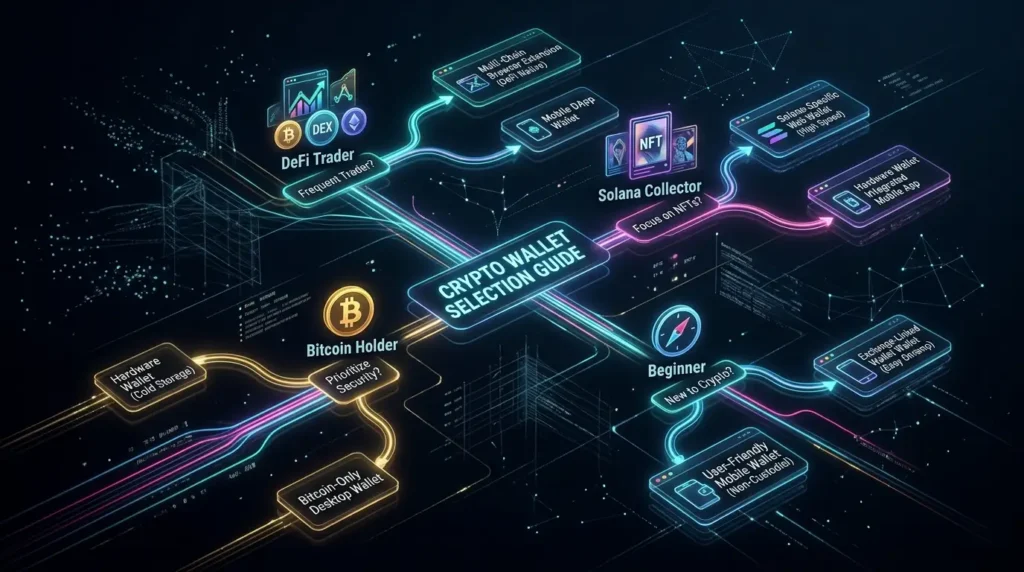
| You are… | Hot Wallet | Cold Wallet |
|---|---|---|
| Active DeFi user on Ethereum | MetaMask | Ledger Flex ($249) |
| Solana NFT collector | Phantom | Connect Phantom + Ledger |
| Beginner, multiple chains | Trust Wallet | Trezor Safe 3 ($59) or Nano S Plus ($79) |
| iPhone user, mobile-first | Trust Wallet | Ledger Nano X ($149) |
| Long-term BTC holder | Coinbase Wallet | Trezor Safe 3 Bitcoin-only ($59) |
| Privacy-focused user | — | Trezor Safe 5 ($129) |
| Best overall experience | MetaMask or Phantom | Ledger Nano Gen5 ($179) |
The Hot + Cold Combination Strategy
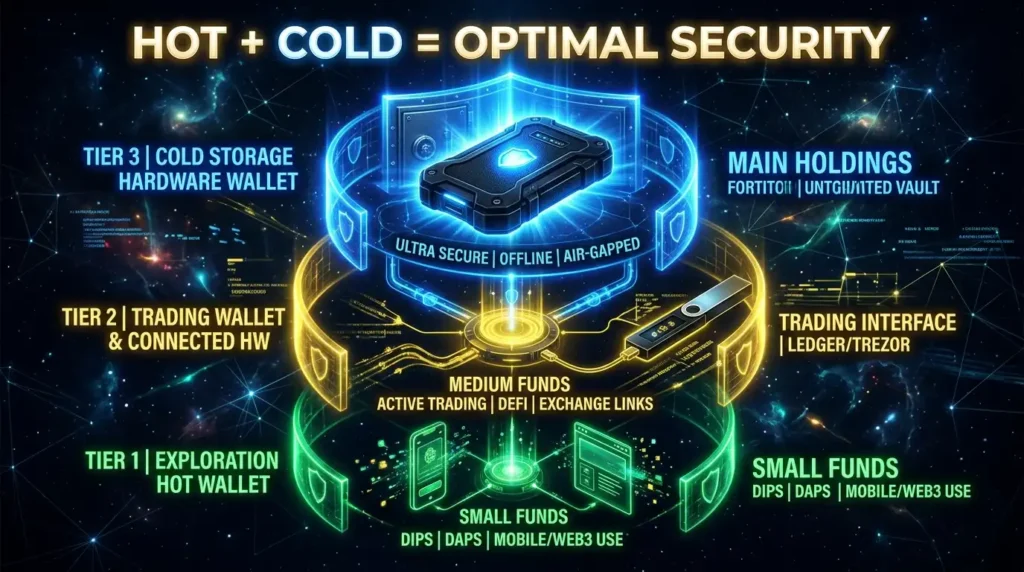
The most sophisticated approach used by experienced crypto holders:
Tier 1 — Hot exploration wallet: A dedicated MetaMask or Phantom wallet with a small amount ($100–$500 max) specifically for trying new protocols, minting NFTs, and DeFi experimentation. If this wallet is drained by a malicious contract, you lose only the small amount.
Tier 2 — Hot trading wallet: A slightly larger MetaMask connected to your hardware wallet for signing. The interface is MetaMask; the keys are on your Ledger or Trezor.
Tier 3 — Cold storage: Your Ledger or Trezor with significant long-term holdings. Rarely connected, seed phrase stored offline. Never connected to new or unverified protocols.
This structure limits losses if one layer is compromised while keeping everything accessible.
What Every Wallet User Must Know
Your seed phrase is the wallet, not the app. Any wallet that supports BIP-39 (almost all of them) can restore your funds with the same 12 or 24 words. If MetaMask shuts down tomorrow, your seed phrase imports to Phantom, Trust Wallet, or any other compatible wallet.
Custodial vs non-custodial. Exchange wallets (Coinbase, Kraken, Binance accounts) are custodial — the exchange holds your keys. Software wallets like MetaMask and Trust Wallet are non-custodial — you hold your keys. Hardware wallets are non-custodial with additional hardware protection. For any significant holdings, non-custodial is the only option.
No wallet is immune to user error. The most common way people lose crypto isn’t technical hacks — it’s phishing (connecting to fake sites), seed phrase exposure, and approving malicious transactions. The wallet protects your keys from software attacks. Protecting your keys from your own mistakes is your responsibility.
Key Terminology
Hot Wallet: Software wallet connected to the internet — convenient for daily use.
Cold Wallet: Hardware device storing keys offline — secure for long-term storage.
Non-Custodial: You control your private keys — no company can access your funds.
Custodial: A company (exchange) holds your private keys on your behalf.
EVM (Ethereum Virtual Machine): The standard that allows blockchains to be compatible — Ethereum, Polygon, Arbitrum, Optimism, BNB Chain are all EVM-compatible.
WalletConnect: A protocol allowing mobile wallets to connect to desktop dApps via QR code.
Seed Phrase / Recovery Phrase: 12 or 24 words that back up your entire wallet — whoever has these words controls your funds.
The Bottom Line
For most crypto users in 2026, the optimal setup is:
- MetaMask or Trust Wallet for daily activity and DeFi
- Ledger Nano Gen5 ($179) or Trezor Safe 5 ($129) for long-term holdings
If you’re just starting: Trust Wallet is the most beginner-friendly hot wallet. Trezor Safe 3 ($59) or Ledger Nano S Plus ($79) are the most accessible entry points to cold storage.
The single most important step in crypto security isn’t choosing the right wallet app — it’s getting your significant holdings off exchanges and into a hardware wallet where you hold the keys.
Not your keys, not your crypto. 🔑
Disclaimer: This article is for informational purposes only and does not constitute financial advice. TheHashmark.com may receive a commission if you purchase through affiliate links, at no additional cost to you.