Here’s the most important thing most new crypto investors don’t understand: your cryptocurrency doesn’t live in your wallet.
It never has. It never will.
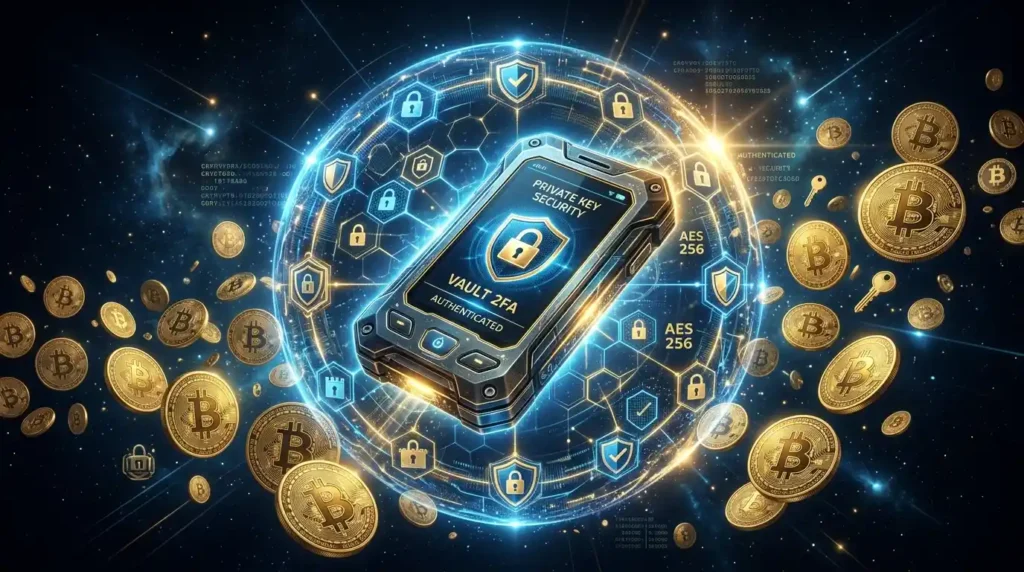
Your Bitcoin, Ethereum, and every other crypto asset you own exists as entries in a public database — the blockchain. What your wallet actually stores is the private key — a secret cryptographic password that proves you own those assets and authorizes you to move them.
This distinction matters enormously. Because it means that whoever controls the private key controls the crypto. Not whoever has the app. Not whoever has the exchange account. Whoever has the key.
And that leads directly to one of the most important phrases in all of crypto:
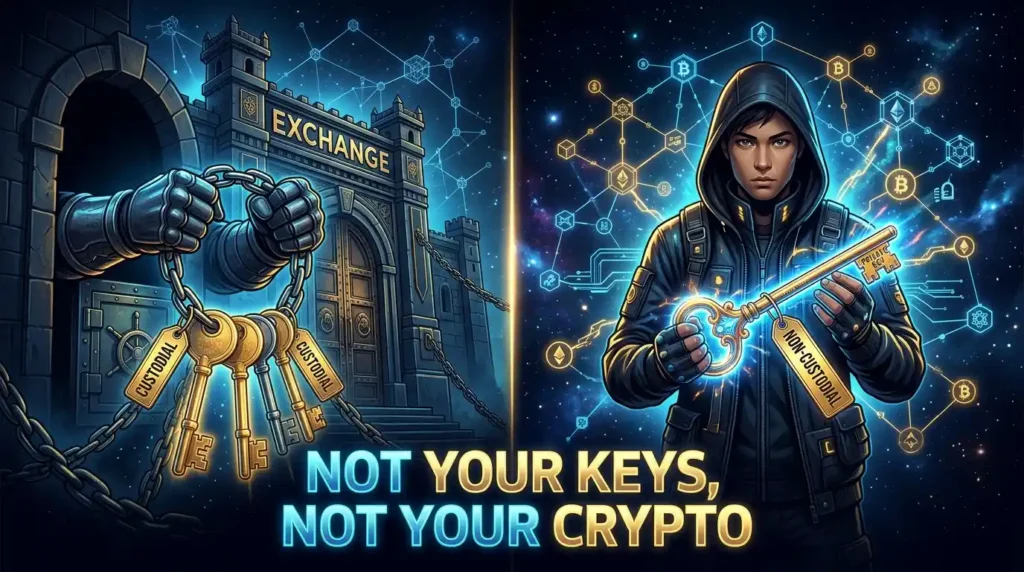
“Not your keys, not your crypto.”
Let’s break down exactly what wallets are, how they work, and which type is right for you.
The Quick Answer: What Is a Crypto Wallet?
A crypto wallet is a tool — software or hardware — that stores your private keys and allows you to send, receive, and manage your cryptocurrency.
Think of the blockchain as a massive public vault where everyone’s crypto is stored. Each compartment is opened by one unique key — your private key. Your wallet is essentially a keychain that holds that key.
Without the key, you cannot access your funds. With the key, you have complete control. This is why securing your private key is the most important thing you can do in crypto.
Custodial vs. Non-Custodial Wallets: The First Big Distinction
Before we get to hot vs. cold, there’s a more fundamental distinction to understand:
Custodial Wallets — Someone else holds your keys.
When you buy crypto on Coinbase, Kraken, or Binance and leave it there, you’re using a custodial wallet. The exchange holds your private keys on your behalf. You access your funds through their platform, with their permission.
This is convenient — just like a bank account. But it comes with the same risks: the exchange can be hacked, go bankrupt (see: FTX 2022), freeze your account, or be seized by regulators. You don’t truly own your crypto — you own an IOU from the exchange.
Non-Custodial Wallets — You hold your keys.
When you use MetaMask, a Ledger device, or any self-custody solution, you are the only one who controls your private keys. No exchange, no company, no government can touch your funds without physical access to your key.
True crypto ownership means non-custodial. This is what “your keys, your crypto” means in practice.
Hot Wallets: Convenient but Connected
A hot wallet is any wallet connected to the internet. This includes:
- Exchange accounts (Coinbase, Kraken, Binance) — technically custodial, but widely called hot wallets
- Mobile wallet apps (Trust Wallet, Phantom, Rainbow)
- Browser extension wallets (MetaMask, Coinbase Wallet)
- Desktop wallets (Exodus, Electrum)
The advantages of hot wallets:
- Instant access from anywhere
- Free to use
- Easy to set up (minutes)
- Seamless interaction with DeFi, NFTs, and dApps
- Multiple blockchains often supported in one app
The disadvantages of hot wallets:
- Private keys exist on an internet-connected device
- Vulnerable to malware, phishing attacks, and browser exploits
- If your computer or phone is compromised, your funds can be drained
- In 2025, 62% of the $4.04 billion in crypto theft targeted hot wallets
Popular hot wallets:
| Wallet | Best For | Blockchains | Cost |
|---|---|---|---|
| MetaMask | Ethereum & EVM DeFi | Ethereum, Polygon, Arbitrum, Base, 100+ | Free |
| Phantom | Solana ecosystem | Solana, Ethereum, Bitcoin | Free |
| Trust Wallet | Multi-chain users | 100+ blockchains | Free |
| Coinbase Wallet | Beginners (not the exchange) | Ethereum, Solana, Bitcoin | Free |
The honest rule of thumb: If you wouldn’t feel comfortable walking around with that dollar amount in cash in your back pocket, it probably shouldn’t be sitting in a hot wallet. For most beginners, that threshold is somewhere in the low hundreds of dollars.
Cold Wallets: Offline and Significantly More Secure
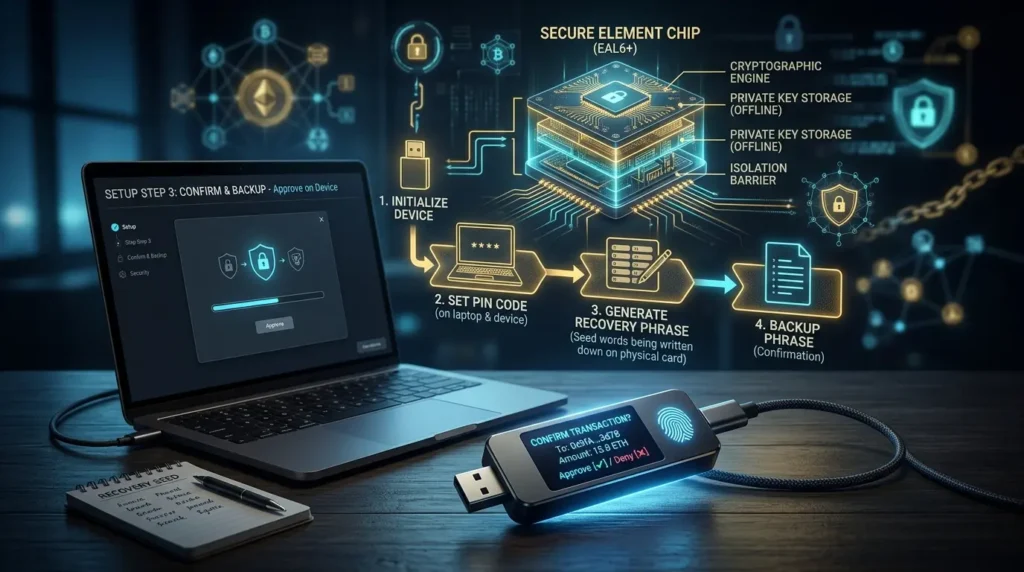
A cold wallet (or cold storage) stores your private keys on a device that is never connected to the internet. Because the keys are offline, they cannot be accessed remotely — no hacker, no malware, no phishing link can reach them.
The most common and practical form of cold storage is the hardware wallet — a small physical device, roughly the size of a USB drive, that stores your keys in a secure chip and never exposes them to the internet.
How a hardware wallet works:
- You connect the device to your computer (via USB or Bluetooth)
- You compose the transaction in the companion app (e.g., Ledger Live)
- The transaction details are sent to the hardware wallet
- The device displays the transaction on its own screen for you to verify
- You confirm by pressing a button on the physical device
- The device signs the transaction internally — the private key never leaves the device
- Only the signed transaction output is sent to the network
Even if your computer has sophisticated malware watching every keystroke, the private key is never accessible because it never touches your computer.
The two most established hardware wallet brands:
Ledger (ledger.com)
- Ledger Nano S Plus: $79 — best budget option, EAL5+ secure chip, 5,500+ coins supported
- Ledger Nano X: $149 — adds Bluetooth for mobile, best for most users
- Ledger Flex: $249 — touchscreen, premium build
- Note: Ledger had a customer data leak in 2020 (email addresses, no funds affected). Firmware is closed-source, which some advanced users dislike.
Trezor (trezor.io)
- Trezor Safe 3: $79 — EAL6+ secure chip, fully open-source firmware
- Trezor Safe 5: $169 — color touchscreen, EAL6+, premium build
- Note: Trezor is fully open-source, preferred by those who want to audit the code themselves.
Hardware wallet prices in 2026: expect to spend $60–$200 for a quality device. Consider it insurance — a $79 device protecting $5,000 in crypto is one of the best investments you can make.
Important: Only buy hardware wallets directly from the manufacturer’s official website or authorized retailers. Never buy used hardware wallets. A pre-owned device could have compromised firmware or a pre-generated seed phrase, allowing the previous owner to steal your funds.
The Seed Phrase: The Most Important Thing You Own in Crypto

When you set up any non-custodial wallet — whether a hardware wallet or MetaMask — the wallet generates a seed phrase (also called a recovery phrase or mnemonic): a sequence of 12 or 24 English words.
This seed phrase is a backup of your entire wallet. With these words, you can restore your complete wallet and all its funds on any compatible device — even if the original hardware is lost, stolen, or destroyed.
The seed phrase IS your crypto. If someone gets it, they get everything.
Rules for your seed phrase:
- ✅ Write it down by hand on paper (the device will prompt you)
- ✅ Store it somewhere physically secure (a safe, a locked drawer)
- ✅ Consider storing a second copy in a different location (in case of fire)
- ✅ Consider engraving it on metal for fireproof/waterproof storage
- ❌ NEVER take a photo of it
- ❌ NEVER store it in a cloud service (Google Drive, iCloud, Dropbox)
- ❌ NEVER type it into any website or app (legitimate wallets NEVER ask for it)
- ❌ NEVER share it with anyone — ever, for any reason
The number one crypto scam targeting beginners: a fake “customer support” agent asks for your seed phrase to “help” you. Any request for your seed phrase is a scam, 100% of the time.
If you lose your seed phrase and lose your hardware wallet, your funds are gone permanently. There is no customer support to call. No password reset. No backup at the company. This is what self-custody means.
Hot vs. Cold: A Complete Comparison
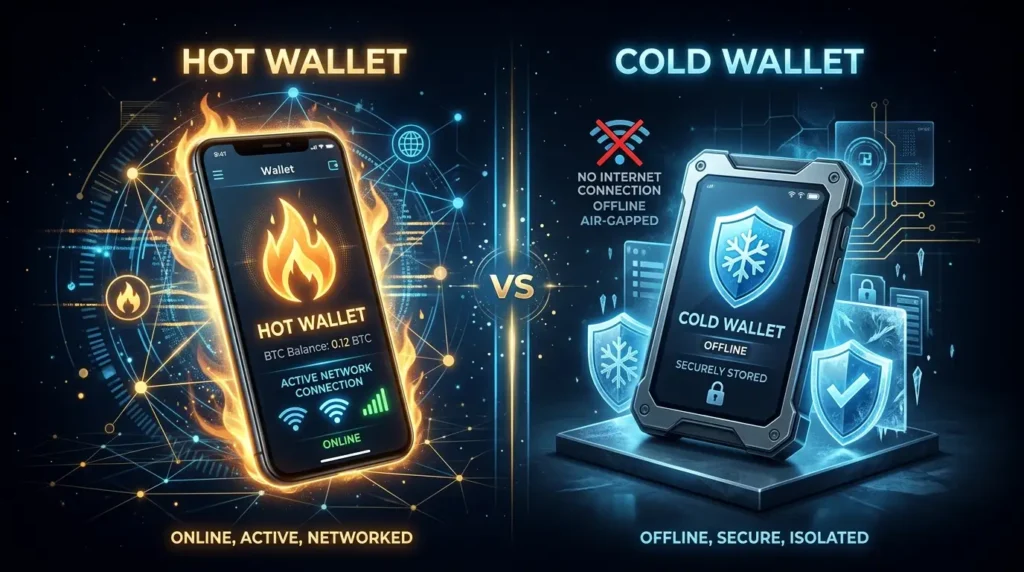
| Feature | Hot Wallet | Cold Wallet (Hardware) |
|---|---|---|
| Internet connected? | Yes | No |
| Cost | Free | $60–$200 |
| Setup time | 5 minutes | 15–30 minutes |
| Convenience | Very high | Medium |
| Security | Lower | Very high |
| Hackable remotely? | Yes (risk) | No |
| DeFi/NFT access | Native | With companion app |
| Suitable for | Small amounts / daily use | Long-term storage / large amounts |
| Custodial option? | Yes and no | No (always self-custody) |
The Checking Account vs. Savings Account Model
Here’s the simplest mental model for how to think about wallets:
Hot wallet = checking account. You keep a small amount there for daily spending and quick access. Convenient, accessible, and fine for amounts you can afford to lose in a worst case.
Cold wallet = savings account. Your long-term holdings, the bulk of your crypto, stored securely where it’s not easily moved. Less convenient, but far safer.
The recommended split:
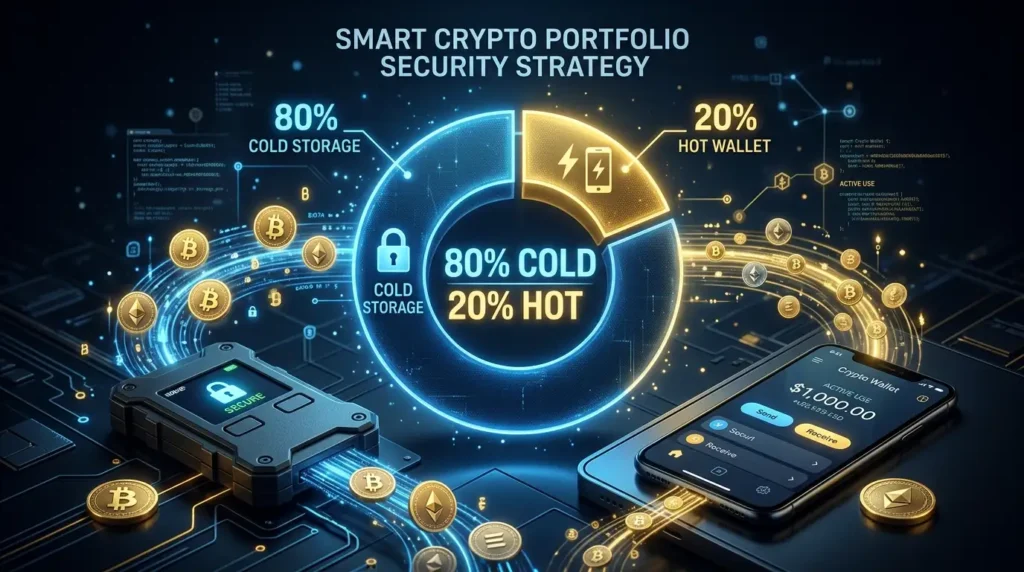
- 80–90% of your crypto holdings in cold storage
- 10–20% in a hot wallet for active trading and DeFi
Self-custody preference has surged to 59% of crypto holders in 2026 (up from 42% in 2023), driven by the 2022 FTX collapse and the 2025 Bybit hack. More people are learning the hard way that leaving large amounts on exchanges is a real risk.
What About Leaving Crypto on an Exchange?
Technically your safest option if you genuinely cannot handle the responsibility of self-custody — a large, regulated exchange like Coinbase is less likely to lose your funds than you losing your seed phrase.
But it comes with real risks:
- Exchange hacks (Bybit lost $1.5 billion in February 2025)
- Exchange insolvency (FTX, Celsius, Voyager — all failed, losing customer funds)
- Account freezes and regulatory seizures
- Identity verification requirements that can lock you out
The general guidance: use exchanges for buying, selling, and converting. Don’t use them as long-term storage. Withdraw to self-custody once your holdings reach a level you’d be upset to lose.
Step-by-Step: How to Set Up a Hardware Wallet
1. Buy from the official website only
Go directly to ledger.com or trezor.io. Don’t use Amazon unless it’s “Sold by Ledger” or “Sold by Trezor” directly.
2. Check the packaging
Look for tamper-evident seals. If the packaging appears opened or damaged, contact the manufacturer before proceeding.
3. Connect and initialize
Connect via USB. Download the official companion app (Ledger Live or Trezor Suite). Follow the on-screen setup on the device itself.
4. Write down your seed phrase
The device will display 12 or 24 words. Write every word, in order, on the provided recovery sheet. Then verify by entering them when prompted.
5. Set a PIN
This protects the device from physical access by anyone who finds it.
6. Install blockchain apps
Through the companion app, install apps for the blockchains you use (Bitcoin, Ethereum, etc.).
7. Receive your first crypto
Copy your public address from the device and send a small test amount first. Verify it arrived before transferring larger amounts.
Key Crypto Wallet Terminology
Private Key: The secret cryptographic key that proves ownership of your crypto and authorizes transactions. Never share this with anyone.
Public Key / Address: Your public identifier — like a bank account number. Share this to receive crypto. Safe to share publicly.
Seed Phrase: 12 or 24 words that encode your private key. The master backup for your wallet. Treat it like the keys to a vault containing your life savings.
Custodial Wallet: A wallet where a third party (like an exchange) holds your private keys.
Non-Custodial Wallet: A wallet where you control your own private keys.
Hot Wallet: Any wallet connected to the internet. Convenient but less secure.
Cold Wallet: Any wallet that keeps private keys offline. Less convenient but significantly more secure.
Hardware Wallet: A physical device (like Ledger or Trezor) that stores private keys in a secure chip, never exposing them to the internet.
Seed Phrase / Recovery Phrase: See above. The most important thing you own in crypto.
Which Wallet Is Right for You?
Just starting out, small amounts ($0–$500):
Start with a free hot wallet like MetaMask or Trust Wallet. Get familiar with how crypto works without the complexity of hardware setup. The risk is manageable at this size.
Growing portfolio ($500–$2,000):
Seriously consider a hardware wallet. A $79 Ledger Nano S Plus or Trezor Safe 3 is obvious insurance at this level.
Significant holdings ($2,000+):
A hardware wallet is not optional — it’s essential. Keep 80–90% in cold storage and only what you’re actively using in a hot wallet.
Large portfolio ($10,000+):
Consider using two separate hardware wallets from different manufacturers, with seed phrases stored in two separate secure physical locations. Investigate multi-signature setups for very large holdings.
The cost of a hardware wallet is always less than 1% of the holdings it protects. That’s the most straightforward risk/reward calculation in crypto.
Your keys. Your crypto. Your responsibility. 🔐
Disclaimer: This article is for informational purposes only and does not constitute financial advice. Cryptocurrency investments carry significant risk, including the potential loss of all invested capital. Always conduct your own research before making any investment decisions.