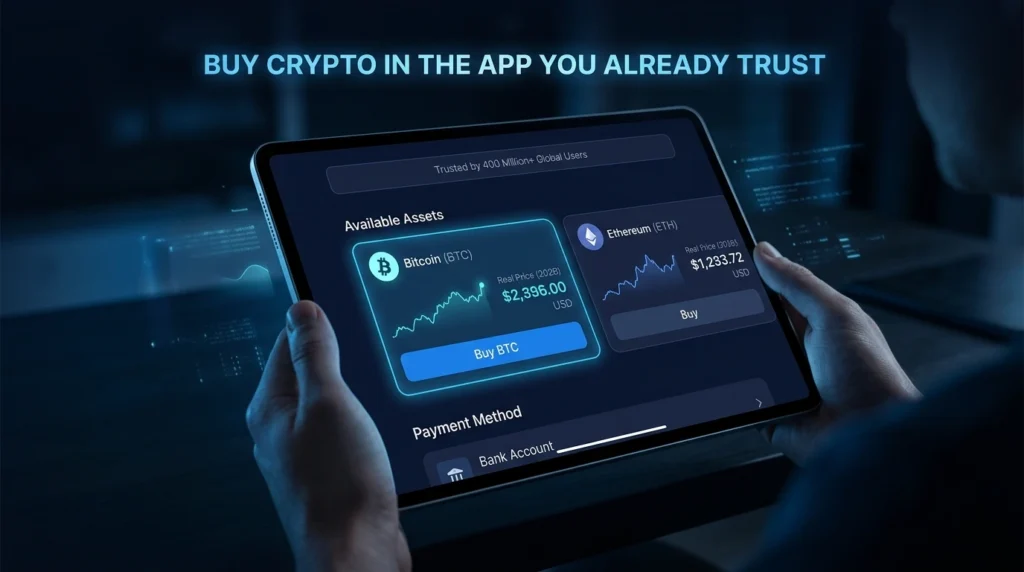
PayPal has over 400 million accounts globally and is one of the most trusted payment platforms in the world. In 2026, it also supports direct cryptocurrency purchases — meaning many people can buy Bitcoin or Ethereum without ever opening a dedicated crypto exchange.
This guide covers how PayPal’s crypto feature works, what it costs, what you can and can’t do with crypto bought through PayPal, and when a dedicated exchange is the better option.
What PayPal’s Crypto Feature Actually Is
PayPal operates a built-in custodial crypto service — meaning PayPal holds your crypto on your behalf, similar to how an exchange holds it. You don’t directly control the private keys unless you transfer to an external wallet.
What PayPal offers:
- Buy, hold, and sell select cryptocurrencies directly in the app
- View live prices and market data
- Transfer supported assets to external wallets (US users)
- PYUSD — PayPal’s own stablecoin pegged to the US dollar
Supported cryptocurrencies (US, as of 2026):
Bitcoin (BTC), Ethereum (ETH), Litecoin (LTC), Bitcoin Cash (BCH), Solana (SOL), Chainlink (LINK), and PayPal USD (PYUSD)
Availability: PayPal’s crypto features are available in the US and select other countries. Availability, supported coins, and withdrawal options vary by region. Always verify current support in your location through PayPal’s official support pages before purchasing.
Fees: What You’ll Actually Pay
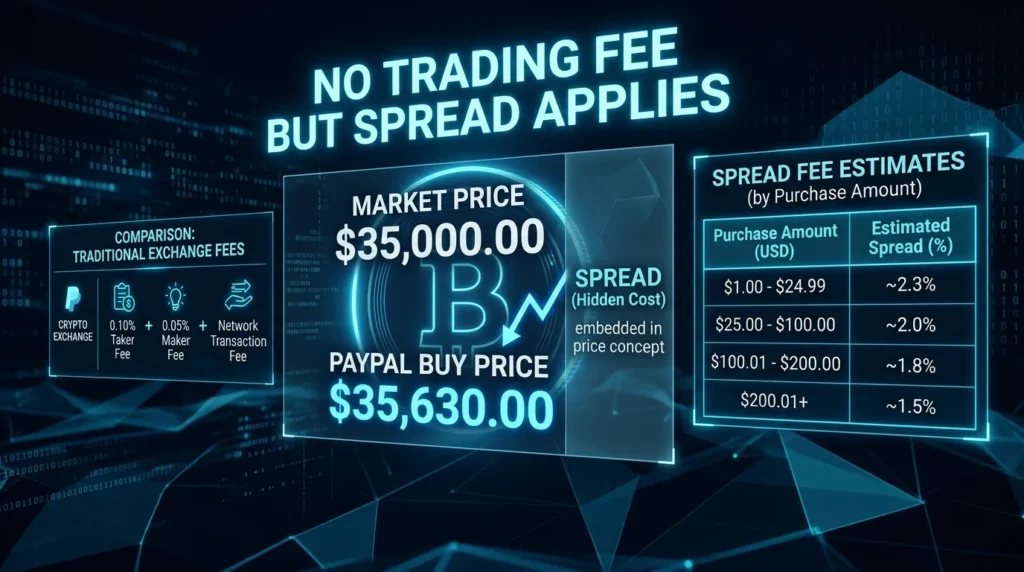
PayPal doesn’t charge an explicit “trading fee” — instead, it embeds its costs in the spread (the difference between the market price and the price PayPal quotes you).
PayPal’s spread structure (approximate):
| Purchase Amount | Estimated Spread |
|---|---|
| $1–$24.99 | ~2.3% |
| $25–$74.99 | ~2.0% |
| $75–$200 | ~1.8% |
| $200–$1,000 | ~1.5% |
| $1,000+ | ~1.5% or lower |
In practice: Buying $500 of Bitcoin on PayPal typically costs about $7–12 in spread versus what you’d pay on a low-fee exchange.
No fee for PayPal-to-PayPal transfers: Sending crypto between PayPal accounts carries no PayPal fee.
External wallet transfers: PayPal doesn’t charge an additional fee for sending crypto to external wallets, but the blockchain network fee (gas/miner fee) applies. This fee is paid to the blockchain, not PayPal.
Comparison with exchanges:
PayPal’s spread is generally higher than what you’d pay on a dedicated exchange using ACH bank transfer. However, it’s competitive with or better than using a debit card on many exchanges. For regular buyers making larger purchases, a dedicated exchange typically offers better long-term value.
Payment Methods PayPal Accepts for Crypto
What works:
- PayPal balance
- Linked bank account (ACH)
- Linked debit card
What doesn’t work:
- Credit cards — PayPal generally does not allow credit card purchases for crypto
- PayPal Credit
This is an important limitation. If you want to buy crypto with a credit card, you’ll need a dedicated exchange that accepts cards (Coinbase, Kraken) rather than PayPal.
Step-by-Step: Buying Crypto Directly in PayPal
Method 1: Via the PayPal App
- Open the PayPal app
- Navigate to Finances → Crypto (location may vary by app version)
- Select the cryptocurrency you want to buy (BTC, ETH, etc.)
- Tap Buy
- Enter the dollar amount you want to spend
- Review the exchange rate and estimated fees (spread included in the quoted price)
- Select your payment source (PayPal balance, bank, or debit card)
- Confirm the purchase
Your crypto appears in your PayPal Crypto Hub within minutes.
Method 2: Via PayPal Web (Desktop)
- Log into paypal.com
- Navigate to Finances → Crypto
- Follow the same steps as the app
Withdrawing Crypto from PayPal to an External Wallet
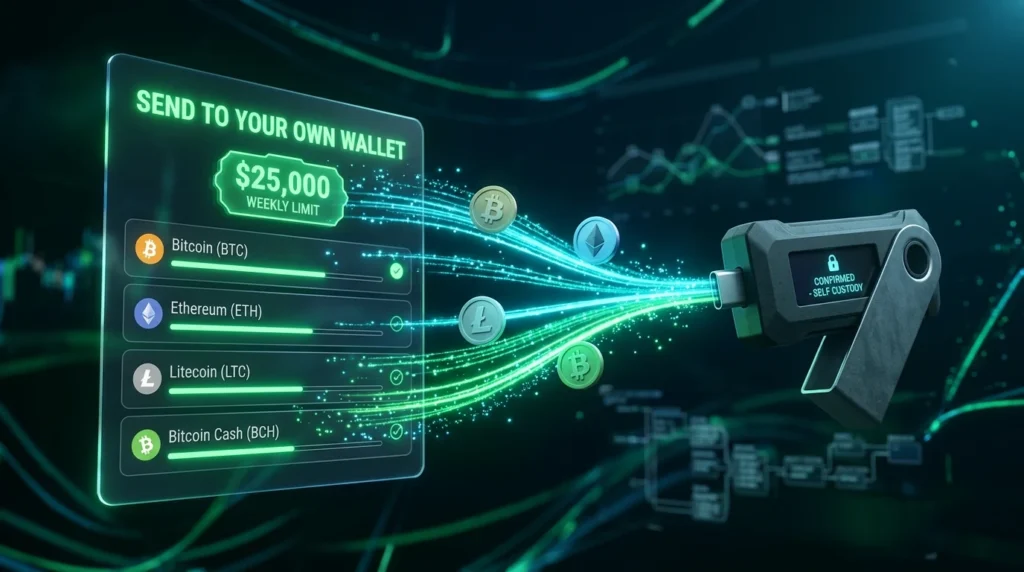
One of PayPal’s significant improvements since 2022 is the ability to send crypto to external wallets — not just hold it within PayPal.
Supported for external transfers (US): BTC, ETH, LTC, BCH
How to send:
- Open the Crypto tab
- Select your crypto balance
- Tap Transfer → Send
- Enter or paste the recipient’s external wallet address
- Verify the network matches your receiving wallet
- Enter the amount
- Review the blockchain network fee
- Confirm
Transfer limits (subject to change — verify on PayPal’s official pages):
- Weekly crypto transfer limit: approximately $25,000 USD equivalent
- Buying limit: approximately $100,000 USD/week
- These limits may vary by account verification level and region
Important: Always verify the destination address and network before confirming. Blockchain transactions cannot be reversed. If sending to a hardware wallet (Ledger, Trezor) or MetaMask, confirm the correct network is selected.
Using PayPal to Fund a Crypto Exchange
Some exchanges accept PayPal as a deposit method — this is an alternative to buying directly in PayPal with more asset selection.
Exchanges that have supported PayPal deposits (availability varies by region):
- Coinbase — PayPal accepted as a funding method in supported regions
- eToro — PayPal deposits supported with minimum $50
Workflow:
- Link PayPal to your exchange account (same as linking a bank)
- Deposit funds via PayPal
- Buy any cryptocurrency the exchange supports (hundreds of assets vs. PayPal’s ~7)
- Withdraw to your personal wallet if desired
Note: Exchange support for PayPal, deposit limits, and regional availability may change. Always verify current PayPal support directly on the exchange’s payment methods page.
PYUSD: PayPal’s Own Stablecoin
PayPal launched PYUSD — PayPal USD — a stablecoin pegged to the US dollar issued by Paxos. It’s available on:
- PayPal (earn potential rewards on PYUSD holdings)
- MetaMask and other external wallets
- Ethereum and Solana blockchains
PYUSD allows you to move value between PayPal and the broader crypto ecosystem — particularly useful for DeFi access or moving funds to exchanges without bank transfer delays.
PayPal Crypto vs Dedicated Exchange: Which to Use?

| Feature | PayPal | Dedicated Exchange (Coinbase, Kraken) |
|---|---|---|
| Setup time | Minutes (existing users) | 20–30 minutes |
| Asset selection | ~7 major coins | 200–600+ |
| Fee transparency | Spread-based (embedded) | Explicit maker/taker |
| Withdrawal to wallet | Yes (BTC/ETH/LTC/BCH) | Yes (all supported assets) |
| Advanced trading | No | Yes |
| Staking | Limited | Yes (ETH, SOL, etc.) |
| DeFi access | No | Via self-custody |
| Best for | Quick small purchases, familiar UX | Regular buying, wide selection, lower fees |
The practical verdict:
Use PayPal if:
- You already have a PayPal account and want to start quickly
- You’re buying a small amount of a major coin (BTC, ETH) as a one-time purchase
- You want to use your PayPal balance from a sale or other transaction
- The speed of not setting up a new account matters more than optimizing fees
Use a dedicated exchange if:
- You plan to buy regularly (fees compound significantly over time)
- You want assets beyond the ~7 PayPal supports
- You need staking rewards on ETH or other assets
- You want to move crypto to DeFi or hardware wallet custody
- You’re making larger purchases where the spread difference is meaningful
Key Limitations to Be Aware Of
Limited coin selection: Only ~7 cryptocurrencies vs. hundreds on major exchanges. No access to DeFi tokens, newer altcoins, or most of the crypto market.
No staking rewards on most assets: Unlike exchanges like Coinbase or Kraken that offer ETH staking, PayPal’s staking options are limited.
No advanced order types: No limit orders, stop-losses, or other tools available on exchange platforms.
Regional variations: PayPal’s crypto availability, supported coins, withdrawal capabilities, and fee structures vary by country. What’s available in the US may not be available in your region.
Key Terminology
PYUSD: PayPal USD — PayPal’s own dollar-pegged stablecoin, available on PayPal and external wallets.
Spread: The difference between the market price of an asset and the price you actually pay — how PayPal embeds its fees rather than charging a separate commission.
Custodial: PayPal holds your crypto’s private keys on your behalf — you have a balance, but PayPal controls the underlying asset until you transfer to an external wallet.
External wallet: A crypto wallet you control (MetaMask, Ledger, Trezor) — separate from PayPal’s system.
Network fee: Blockchain transaction cost paid to miners/validators when transferring crypto — separate from any PayPal fee.
The Bottom Line
PayPal’s crypto feature is genuinely useful for a specific audience: people who want to buy a small amount of Bitcoin or Ethereum quickly, using an interface they already trust, without creating a new account somewhere.
For anything beyond that — regular purchases, a wider coin selection, staking, or moving to self-custody — a dedicated regulated exchange offers more features, lower long-term fees, and greater flexibility.
The good news: the two aren’t mutually exclusive. Many investors use PayPal for quick, occasional purchases and maintain a separate exchange account for their main crypto activity.
Whatever you choose — verify current availability and fees directly on PayPal’s official support pages, as features and regions supported evolve regularly. 💙
Disclaimer: This article is for informational purposes only and does not constitute financial advice. Cryptocurrency investments carry significant risk, including the potential loss of all invested capital. TheHashmark.com may receive a commission if you sign up through affiliate links, at no additional cost to you. Always conduct your own research before making any investment decisions.